

 ChatGPT
AI Mode
ChatGPT
AI Mode
 Claude
Perplexity
Grok
Claude
Perplexity
Grok
Last Updated on May 29, 2026 by Henry

Table of Contents
You think your website ranks exactly where you see it on Google? It’s not always that simple.
Most site owners search for their keywords, spot a position, and assume that’s their true ranking. But Google shows different results to different people based on location, search history, and device.
What looks like position 5 to you could easily be position 12 for someone else.
That gap matters more than you might expect. Position 3 gets around 9% of clicks, position 2 climbs to 15%, and position 1 takes a strong 27.6%.
For a keyword with 1,000 monthly searches, moving up just a couple of spots can mean going from roughly 90 clicks to 276 clicks every month. That’s a significant difference from a small shift.
In this guide, you’ll learn how to check your real Google rankings using three practical methods. Once you know where you truly stand, it becomes much easier to understand what’s working, what needs improvement, and how to move higher in search results.
Introduction to Website Ranking
Website ranking refers to the position your website holds on search engine results pages (SERPs) when someone searches for specific keywords or phrases. In simple terms, it’s where your site shows up. The higher it appears, the easier it is for people to find you, which usually means more visibility and steady organic traffic.
Google remains the most widely used search engine, so your position there carries the most weight. Even a small shift in rankings can make a noticeable difference in how many people land on your site.
This is where a Google rank checker or rank tracking tool becomes useful. It shows you exactly where your website stands for your target keywords, giving you a clearer picture of your current performance. More importantly, it helps you spot gaps and opportunities so you can focus on improving your position over time.
Quick Answer: Best Ways to Check Your Google Ranking
The best method depends on your goals and how closely you want to track your rankings.
- A manual incognito check takes about 30 seconds and works well when you just want a quick look at 3 to 5 keywords. It’s simple, but not ideal for tracking trends.
- Google Search Console is free and the most reliable option for serious tracking. It’s best when you’re monitoring anywhere from 5 to 100 keywords and want accurate data over time.
- Free rank checker tools help automate the process with regular updates, making them useful when you’re tracking 10 to 50 keywords and need more than what Google Search Console (GSC) alone offers.
You can also use a website rank checker to automatically track keyword positions and visibility across different locations and devices, which gives a broader view of performance.
For most website owners, starting with Google Search Console (Option 2) makes the most sense. It’s accurate, free, and provides detailed historical data. Use incognito searches (Option 1) for quick checks, and turn to rank checker tools (Option 3) when you need more specific insights that Search Console may not cover.
1) Manual Checking Methods
Best For: Quick spot checks when you need an answer fast, usually within 30 seconds.
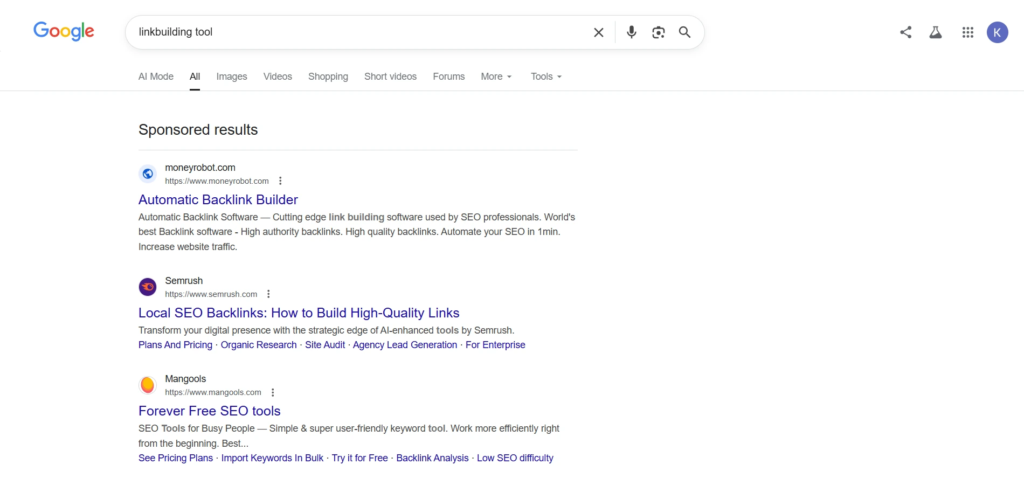
Open an incognito browser window, search your target keyword, and scroll through the results to find your page. Incognito mode helps reduce personalization, so the results are more neutral, though your location can still influence what you see.
This method is quick and easy, but it has its limits since Google continues to adjust results based on factors like location and device.
Process:
- Open incognito mode (Chrome: Ctrl+Shift+N, Firefox: Ctrl+Shift+P, Safari: Cmd+Shift+N)
- Go to google.com without signing in
- Search your exact keyword phrase and identify your position. Organic result number one appears after ads and map listings
- Note down the position, device, and date in a spreadsheet
- Repeat the same search on both mobile and desktop to compare differences
For example, a search from New York might show your site at position 4, while the same search in Phoenix could place it at position 7 due to local ranking factors.
⚠️ Why Your Google Search Shows Different Rankings?
When you search for your own website on Google, you see personalized results based on your location, search history, and whether you have clicked your site before.
That is why you might see your site ranking #3 while a colleague in another city sees it at #8.
Incognito mode removes search history but does not hide your IP location, which is why rankings can still vary by city.
Limitations: Manual checking works for tracking 5–10 keywords monthly but becomes impractical for larger keyword sets. Use this method for quick validation, not systematic tracking.
2) Using Google Search Console
Best For: Accurate, long-term rank tracking for websites of any size, and easily the top recommendation.
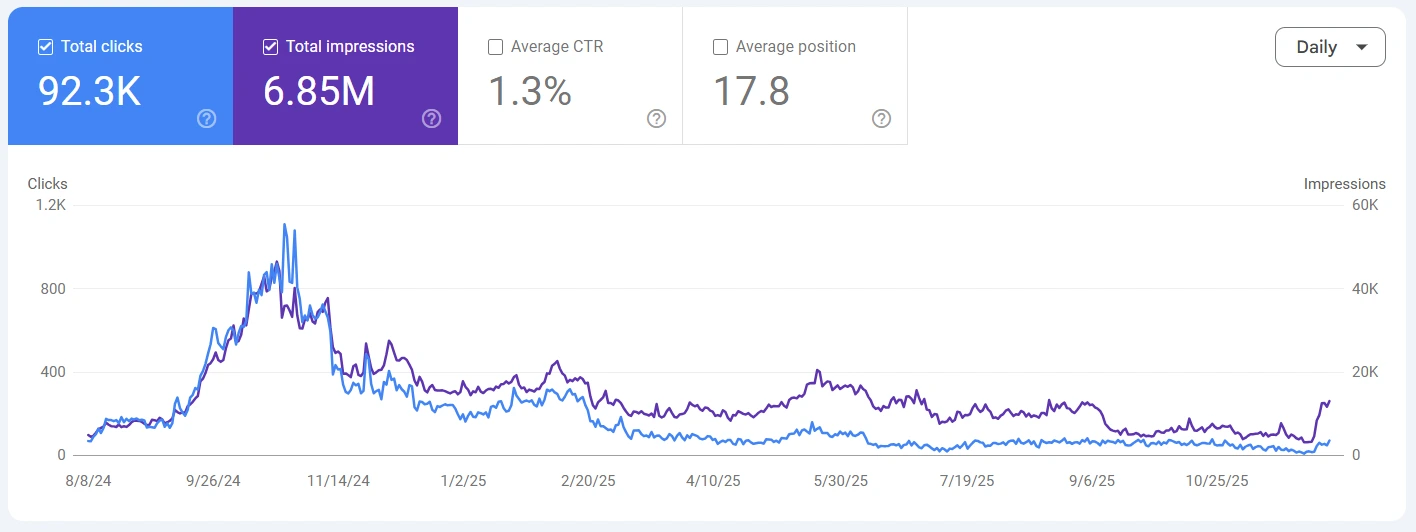
Google Search Console shows your average position based on real searches, backed by detailed historical data. Since the data comes directly from Google, it’s the most reliable free method available.
Process:
- Verify your website domain at search.google.com/search-console
- Wait 24 to 48 hours for initial data to appear
- Go to Performance > Search results
- Enable all metrics, including Total clicks, Total impressions, Average CTR, and Average position
- Use the + New filter to track specific pages or queries
- Set the date range to Last 3 months to understand trends
- Export your data using the top-right icon if you want to track it in a spreadsheet
Filtering options:
- By keyword: Open the Queries tab to see all ranking keywords sorted by clicks
- By page: Use the Pages tab to check which keywords each page ranks for
- By device: Apply the Device filter to compare mobile, desktop, and tablet data
- By country: Use the Country tab to understand how rankings vary by location
These filters make it easier to analyze how your top keywords perform across different devices and regions.
Google Search Console data usually comes with a 2-day delay. You can use the Compare feature to track changes in position across different time periods.
Common GSC issues and solutions:
- No data showing? Double-check that your site is verified and give it 48 to 72 hours to populate data
- Positions seem off? Keep in mind that GSC shows averages across many searches. Narrow it down by date or device for clearer insights
- Sudden ranking drops or jumps? Check if new SERP features like featured snippets or local packs are affecting visibility without changing your actual ranking
- Unexpected queries? GSC often reveals real user searches, including misspellings and long tail keywords you may not have targeted directly. These can give valuable insight into how people are finding your site
Helpful resources:
📊 Why GSC Shows Decimal Positions (Like 2.4)
Google Search Console reports an average position because your page doesn’t rank the same way every time someone searches. For example, if your page appears at position 2 in 60% of searches and position 3 in the remaining 40%, GSC will show 2.4 as the average. That’s why you’ll never actually see position 2.4 when you check manually.
Instead of showing a single snapshot, GSC blends data from thousands of searches to give you a more realistic view of performance across different users, locations, and devices.
Why GSC is better than manual checking: It goes beyond just rankings. You can see real click data, track performance over time, and rely on unbiased averages pulled from a large dataset. For free rank tracking, this is about as accurate and useful as it gets
3) Using Free Rank Checker Tools
Best for: When you need automated daily checks or location-specific data GSC doesn’t provide
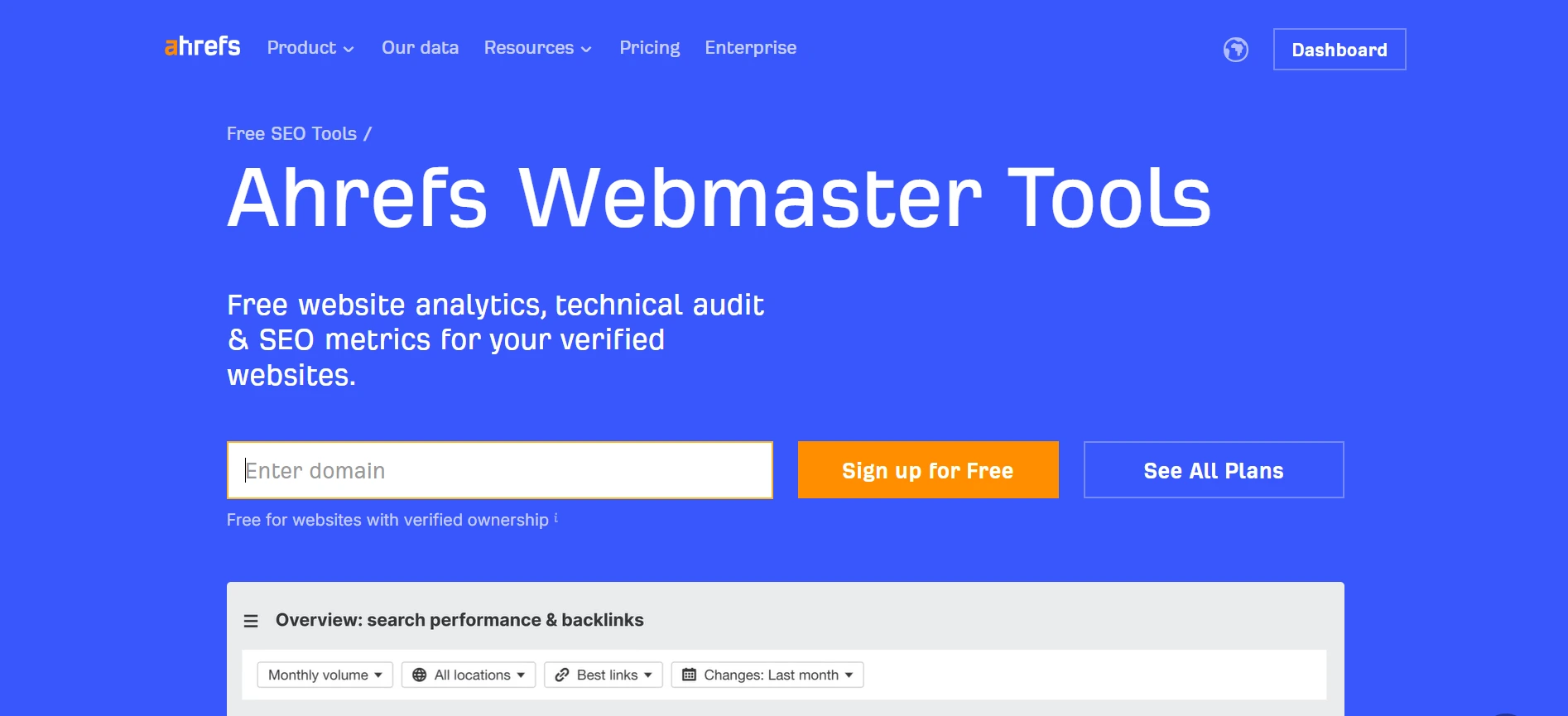
There are many free SEO tools available that help you check your website’s ranking. These tools automate keyword tracking, often daily, though most come with limits to prevent overuse.
They work as SEO ranking checkers, allowing you to monitor your keyword rank, track position changes, and see exactly where your site appears for specific keywords.
| Tool | Daily Free Checks | Devices | Historical Data | Best For |
| Ahrefs Webmaster Tools | Limited free tier | Desktop | Several months | Site owners tracking priority keywords |
| Ubersuggest | 3 queries per day | Desktop | Limited | Quick spot checks |
| SE Ranking | Free trial available | Mobile + Desktop | Trial period | Evaluating before purchase |
| Google Search Console | Unlimited (own site) | All devices | Extended period | Primary tracking tool |
| Manual rank checkers | 1-5 checks per tool | Desktop | None | Single query verification |
HHow to use these tools:
- Sign up and verify your domain using DNS, HTML upload, or Google Analytics
- Add your list of keywords while staying within daily limits
- Choose your preferred location and device settings
- Run your first check and save the results
- Come back weekly or monthly to compare changes in rankings
These tools make it easier to track keyword performance and understand where your site stands in search results. Some also allow you to check rankings beyond Google, giving you a broader view.
Most third-party tools pull data from neutral data center locations, which removes personalization. For the best accuracy, it’s a good idea to compare their results with the average position data in Google Search Console.
Google Rank Checker Tool Features
A Google rank checker tool is a useful resource if you want to consistently track and improve your website’s performance on Google. It gives you a clearer view of where you stand and how your rankings are changing over time.
Most tools come with features that let you monitor keyword positions, track changes over time, and understand the search volume behind your target keywords. They also highlight important SERP features like featured snippets, which can impact how visible your site really is.
Many rank checker tools go a step further by offering competitive analysis. This means you can compare your rankings with competitors, see where they’re ahead, and find opportunities to close the gap or move past them.
With simple dashboards and regularly updated data, these tools make it easier to follow trends, understand what’s working, and adjust your SEO strategy in a more informed way.
Keyword Research and Optimization
Keyword research sits at the core of any strong SEO strategy. When you understand the exact words and phrases your audience is searching for, it becomes much easier to shape your content around their intent and improve your chances of ranking higher.
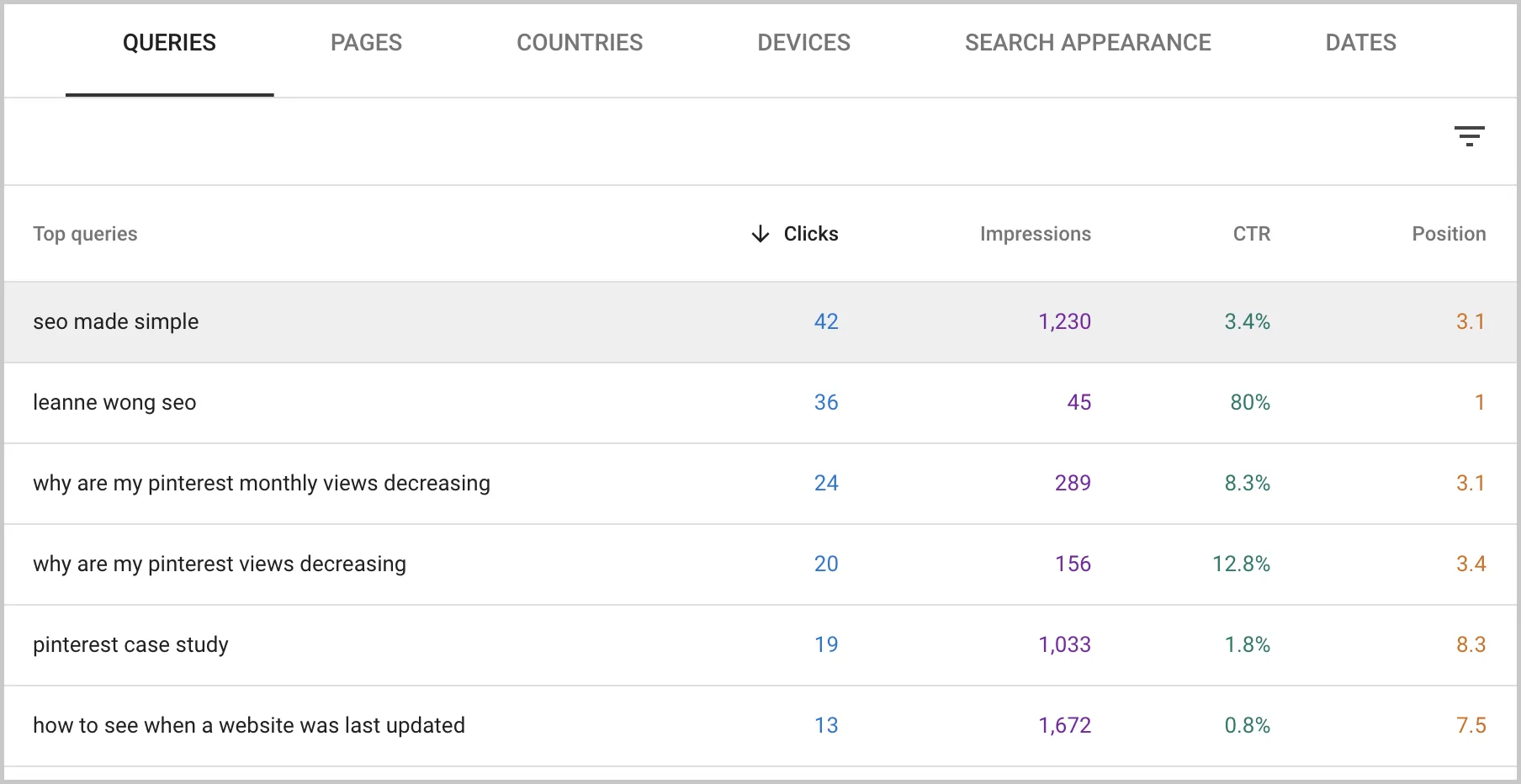
A Google rank checker tool helps you see which keywords your site already ranks for, while also revealing gaps you might have missed. These gaps often point to new opportunities that can bring in additional traffic if targeted correctly.
With this insight, you can fine-tune your content, focus on keywords with real potential, and gradually improve your visibility in search results.Tracking your keyword positions regularly keeps you aware of shifts in rankings and search trends, helping you stay consistent and continue building organic traffic over time. Use rank tracking along with understanding what link building is to improve your site’s rankings.
Local SEO Strategies
If your business targets customers in specific cities or regions, local SEO plays a big role in how visible you are in search results. A Google rank checker tool helps you track how your website performs for location-specific keywords, giving you a clearer idea of where you stand in different areas.
By looking at rankings across cities, you can quickly see where your efforts are paying off and where you might need to improve. This makes it easier to adjust your strategy based on real data rather than guesswork.
Focusing on local keywords, creating content tailored to specific locations, and regularly tracking your rankings are simple but effective ways to strengthen your presence in local search results.
Over time, this approach helps your business appear in front of the right audience, bringing in more relevant traffic from people actively searching for your services nearby.
Any SEO professionals and site owners participate in slack communities to exchange tips, discover link building opportunities, and stay informed about industry trends.
Understanding Your Position Data
Ranking on Google isn’t just about where you show up; it’s about how many clicks that position actually brings in. The top result gets around 27.6% of clicks, position 2 drops to 15%, and position 3 falls further to 9%.
This sharp drop explains why even a small jump in rankings can feel like a breakthrough. Moving from position 4 to position 2 doesn’t just look better on paper; it can double your traffic without changing a single word on your page.
Many marketers also focus on building authority links as a primary strategy to increase search visibility and organic traffic, along with their keyword and technical improvements.
What your position really means:
- 1.0–3.0: You’re in the top three, where most of the clicks happen. At this stage, it’s worth aiming for featured snippets or other SERP features to squeeze out even more visibility.
- 3.1–10.0: You’re on the first page, which is a strong place to be, but there’s still room to grow. Improving content quality and building stronger links can help you climb higher.
If you need high-quality links quickly, explore services to buy backlinks from vetted providers.
- 11–20: You’re on the second page, which usually means very little traffic. This is a good point to revisit whether your content truly matches what users are searching for.
- 21+: Page three or beyond. Visibility is extremely low here. It may be more effective to create better optimized content or strengthen existing pages.
In real scenarios, moving from position 4 to position 2 often doubles or even triples clicks, even when search volume stays the same. That gap between roughly 5 to 6% CTR at position 4 and 15% at position 2 is where the real opportunity lies.
To understand what’s actually happening, track both position and clicks inside Google Search Console. If your ranking drops slightly but your clicks stay stable, it could be due to changes in the search results layout, like new featured snippets pushing listings down, not an actual loss in performance.
Also, keep in mind that rankings are not driven by content alone. Technical SEO, site speed, and overall user experience all play a role in how high your pages can go. For better control over how links behave and improve user security, always consider using rel = noopener noreferrer when adding outbound links.
Mobile vs Desktop Rankings
Your rankings don’t always look the same across devices. In fact, the same keyword can show a difference of 3 to 10 positions between mobile and desktop.
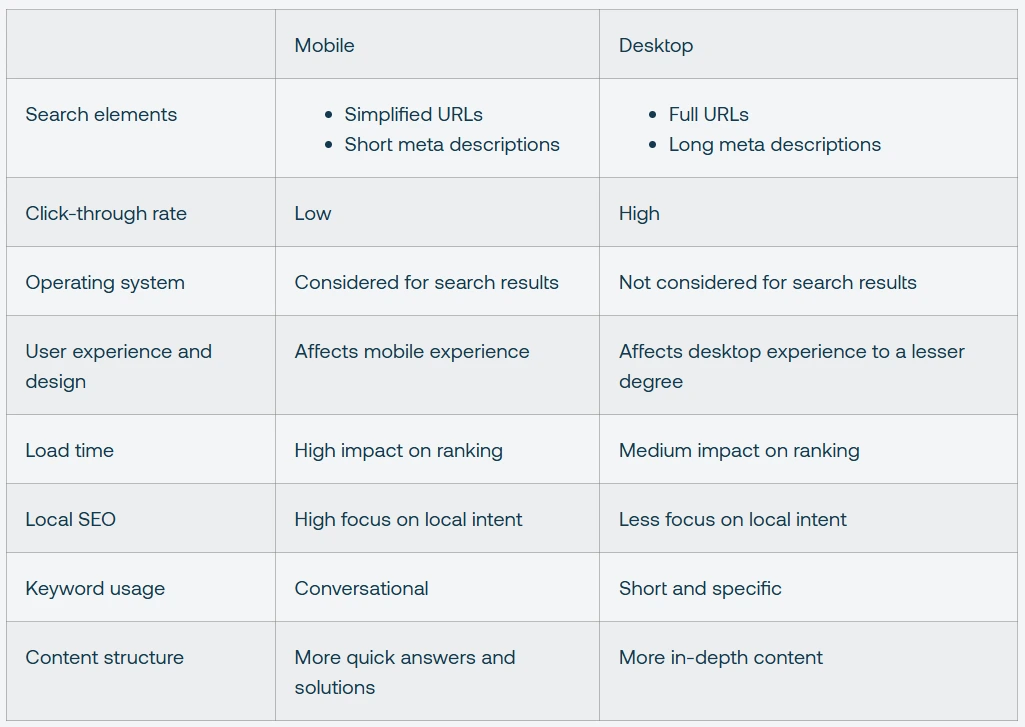
What makes this even more important is how users behave. On mobile, the drop from position 1 to position 2 leads to about a 39.03% decrease in clicks. On the desktop, that drop is even steeper at 53.45%. In simple terms, being second instead of first can cost you a huge chunk of traffic, especially on mobile, where every position counts.
Why rankings differ by device:
- Mobile algorithms are stricter with slow-loading pages
- Poor mobile usability, like small tap areas or awkward scrolling, can push rankings down
- Mobile searches rely heavily on location data, which changes results quickly
- Fewer results are visible on screen at once, so competition feels tighter
- Certain content types, like videos, may appear more prominently on one device over the other, affecting visibility
How to track both:
- In Google Search Console, go to the Performance report and apply the Device filter
- Compare average positions for your top keywords across mobile and desktop
- Look closely at keywords where there’s a gap of 5 or more positions
- Use Google’s Mobile Friendly Test to understand what might be causing the difference
- You can also use rank checker tools that allow device-specific tracking for a clearer view
⚡ Pro Tip: Check Mobile Rankings First
Before diving into rankings, take a quick look at your traffic sources in Google Analytics. If 70% or more of your visitors are coming from mobile, which is the case for most websites today, your priority should be clear. Focus on mobile first.
A lot of site owners spend time optimizing for desktop simply because it’s easier to analyze, but their audience is actually searching on phones. That mismatch can quietly hold back your growth.
Use the Device filter in Google Search Console to see exactly where your traffic is coming from. Once you have that clarity, align your efforts with real user behavior instead of assumptions.
If most of your traffic is mobile, fix mobile ranking issues first. Desktop improvements can always come later.
Quick mobile ranking improvement checklist:
- Open the Performance report in GSC and filter for Mobile
- Sort by impressions to focus on your highest traffic keywords
- Spot keywords where mobile rankings are significantly lower than desktop
- Run those pages through Google’s Mobile Friendly Test and PageSpeed Insights
- Fix common issues like heavy images, small tap targets, or horizontal scrolling
- Check your rankings again after 2 to 3 weeks
- Use the Compare feature in GSC to see what improved
Paying attention to these differences helps you avoid blind spots. A page that performs well on desktop might quietly struggle on mobile, and that gap can cost you more traffic than you expect.
When Free Tools Aren’t Enough
For most websites, Google Search Console and free rank checkers do the job well. But there comes a point where sticking only to free tools can start slowing you down.
If you’re tracking a large number of keywords or spending hours every week checking positions manually, upgrading can save both time and effort. It also becomes useful when you want deeper insights that free tools simply don’t offer.
Consider upgrading if you:
- Track 50 or more keywords and spend over 2 hours weekly on manual checks
- Need to monitor competitors, since GSC only shows your own rankings
- Manage multiple client websites and require automated reports
- Want to track rankings across many cities, not just at a country level
- Need longer historical data to study trends over time
- Plan to integrate ranking data into custom dashboards using APIs
Paid tools usually cost between $50 and $200 or more per month, depending on how many keywords you track and the features you need.
At that stage, it’s less about cost and more about efficiency. The right tool can give you clearer insights, save hours of work, and help you make faster, better SEO decisions.
💰 Calculate Your ROI Before Upgrading
Before paying for any tool, it helps to step back and do a quick reality check. If you’re spending around 8 hours each month tracking rankings manually, that’s roughly $200 worth of your time at $25 per hour. In that case, a $100 per month tool that automates everything starts to make practical sense.
On the other hand, if Google Search Console already covers most of what you need and you only check rankings occasionally, a paid tool may not be worth it. In many cases, it ends up being an unnecessary expense rather than a real upgrade.
A simple approach is to compare the time you invest with the cost of automation and decide based on that.
For most small businesses and individual bloggers, free tools are more than enough. Paid tools tend to make a bigger impact for e-commerce sites with large product catalogs or agencies managing multiple clients, where automation saves significant time.
Well-known options like Ahrefs, SEMrush, SE Ranking, and AccuRanker are often used at this stage, and most of them offer free trials, making it easier to test before committing.
What is the actual Google ranking of your website? Where your audience truly sees it, not where you believe it to be. Growth either occurs or stalls at that tiny difference.
The good news is that you can solve it without complex systems. You can get the clarity that most website owners overlook with a short manual check, regular tracking using Google Search Console, or a basic rank checker application.
Big leaps are rarely the focus of SEO. Small, consistent steps are key. Moving from 5 to 3, between three and two, and ultimately securing the top position where the majority of clicks occur.
Begin simply. Keep a steady pace. Enhance the important things.
For those looking for more streamlined solutions to manage and track link acquisition, consider incorporating backlink software to automate and optimize your outreach and reporting processes.
Frequently Asked Questions
1) How often should I check my Google rankings?
Check monthly for general maintenance or weekly during active SEO campaigns. Daily checking isn’t necessary since rankings fluctuate naturally by 1–2 positions, while meaningful shifts take weeks to develop.
2) Why is my website not ranking on Google?
Common causes include indexing blocks in robots.txt, page speed exceeding 3 seconds, or targeting competitive keywords without sufficient backlinks. Use GSC’s URL Inspection tool to confirm indexing status first.
3) What’s the difference between average position and actual rank?
Average position calculates the mean across all searches. Position 2 in 60% and position 5 in 40% shows an average 3.2. Actual rank is the specific position you see when searching manually at a given time and location.
4) Can I check my competitors’ rankingsfor free?
Free tools with limited daily searches and manual incognito searches work for spot-checking 5–10 keywords. Systematic competitor tracking across 50+ keywords requires paid tools with dedicated competitor monitoring features.